2026
Tool redesign · Lean UX · Web · 20k active users
key outcomes overview
Research-led redesign based on analytics, interviews, and testing.
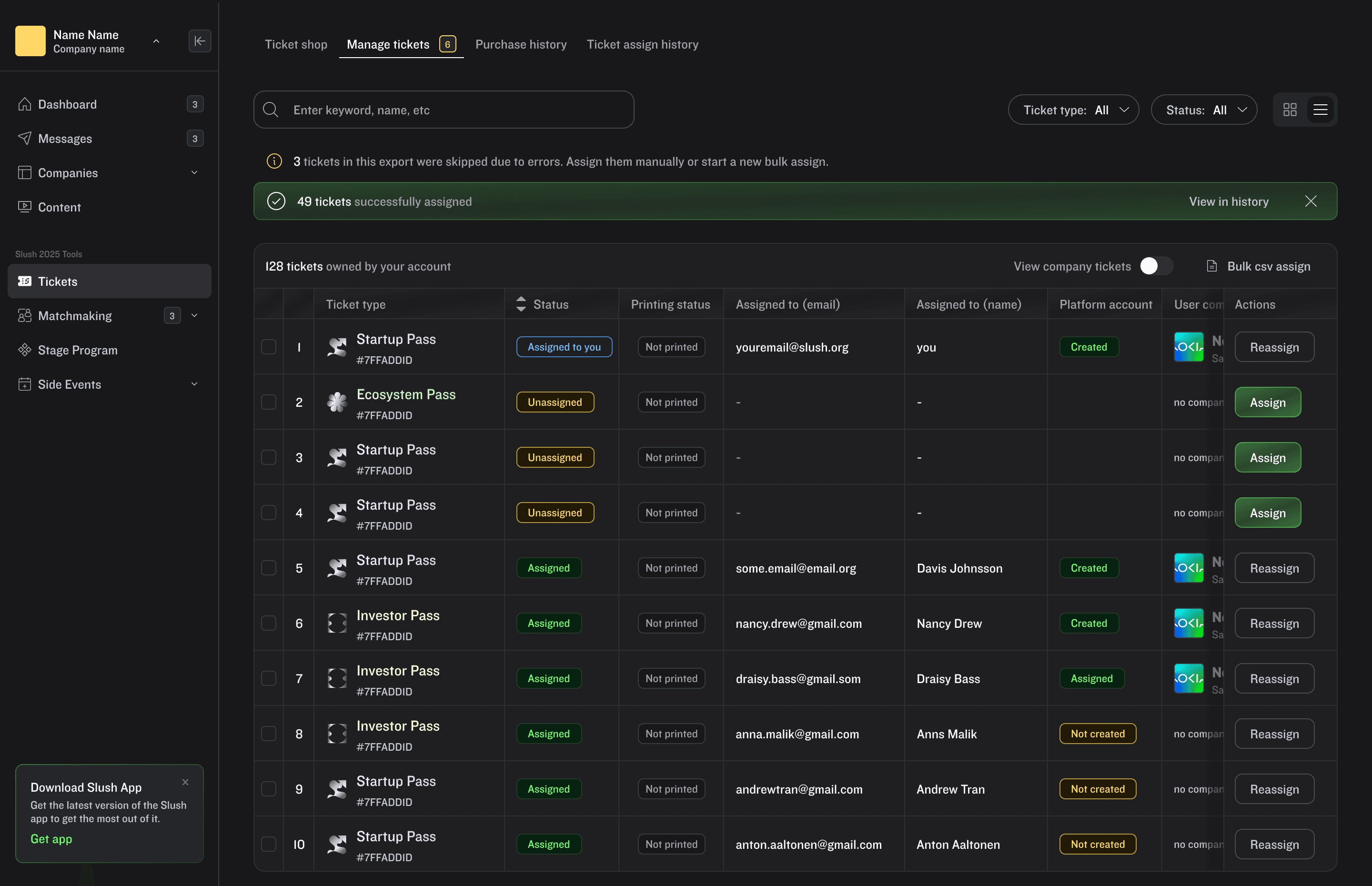
Fully re-designed main flow with a table view.
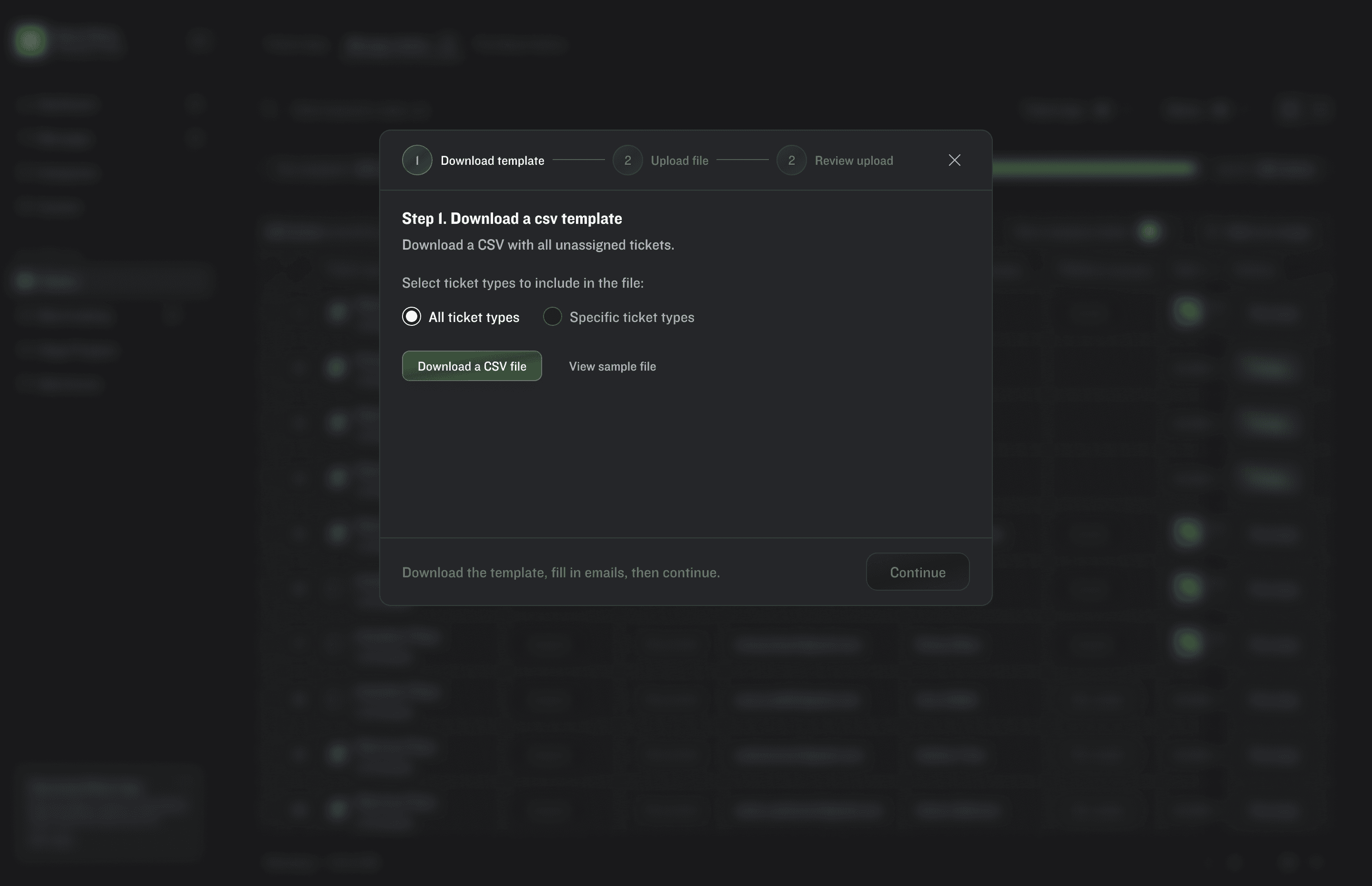
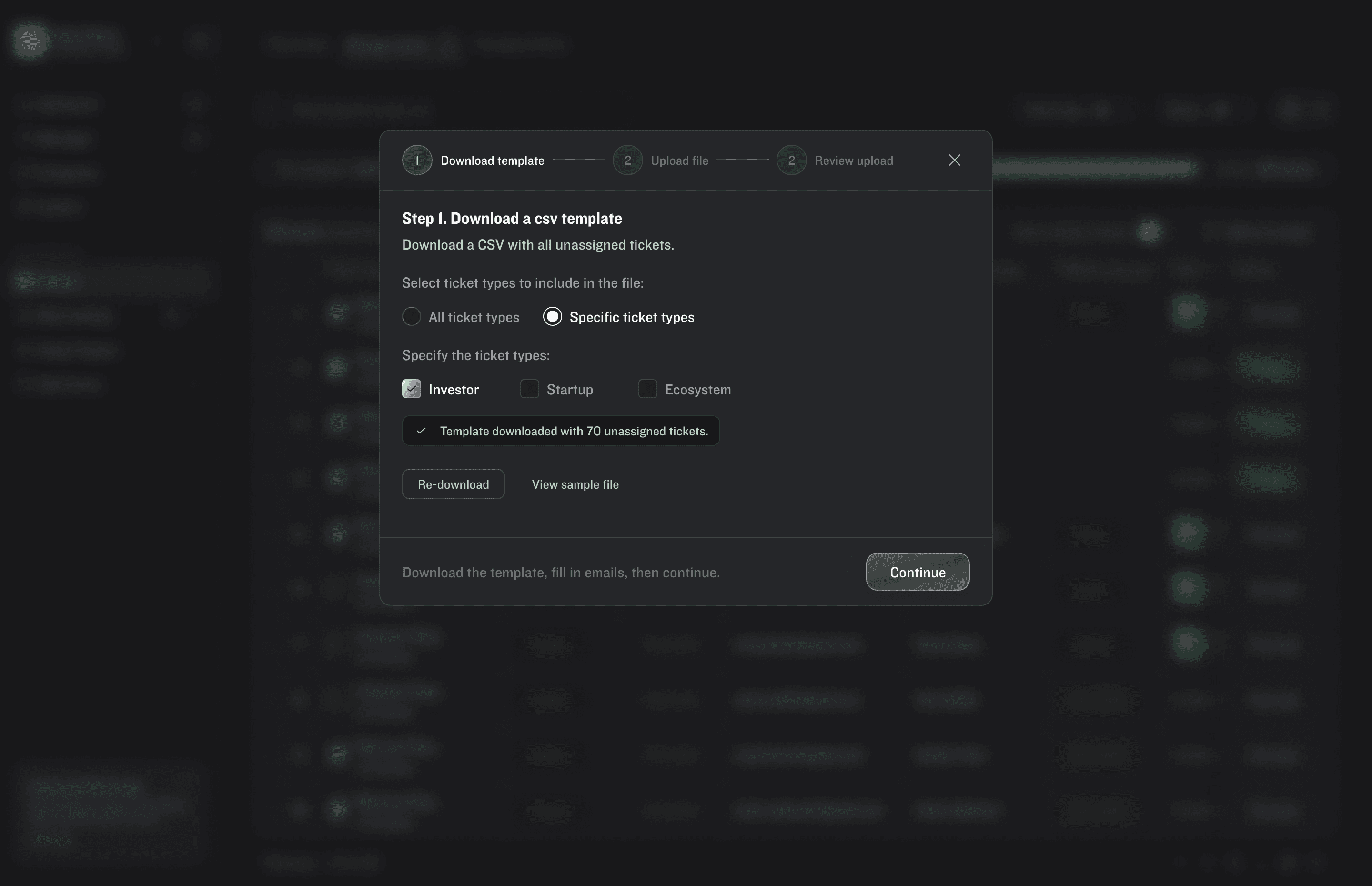
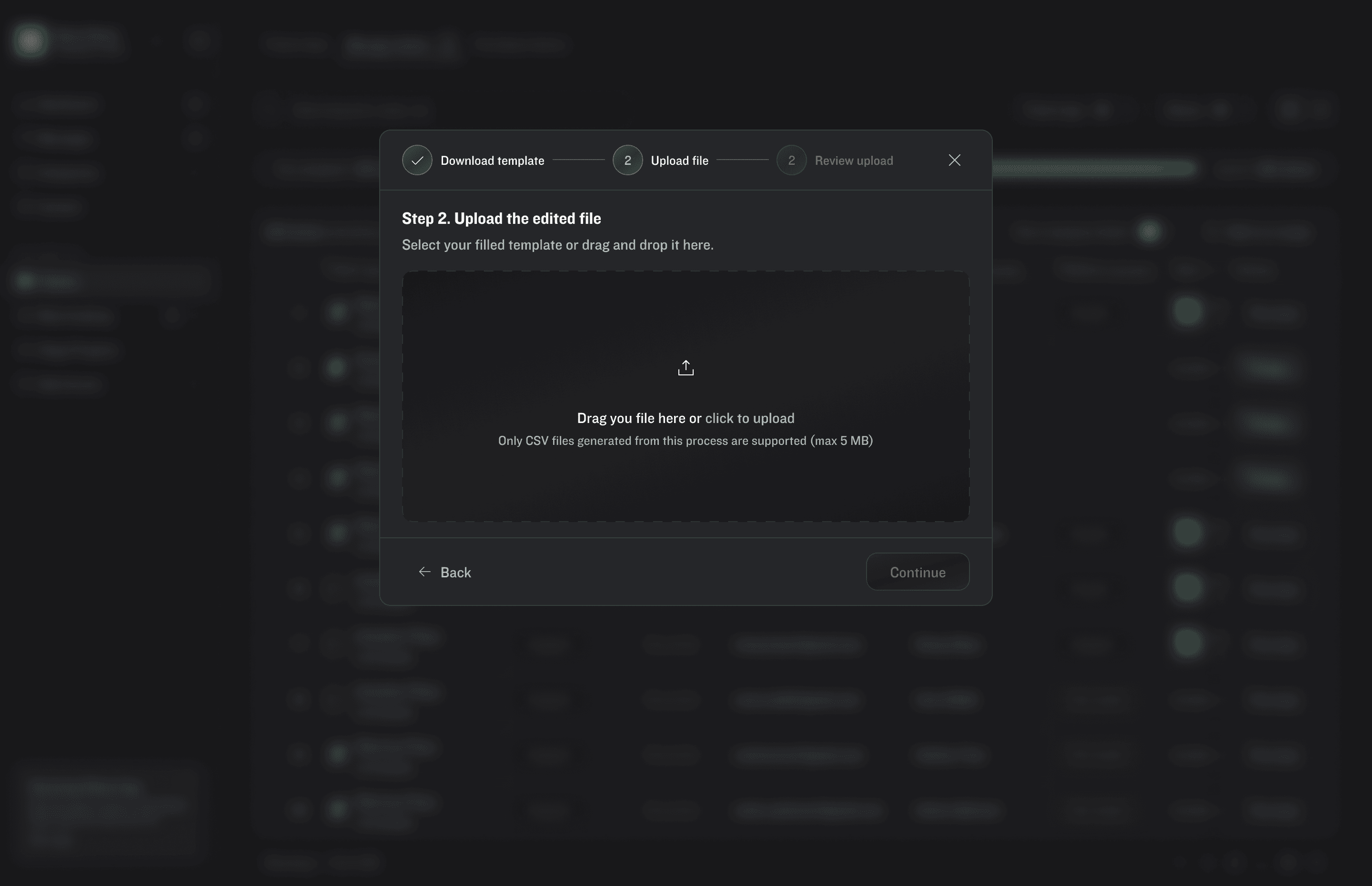
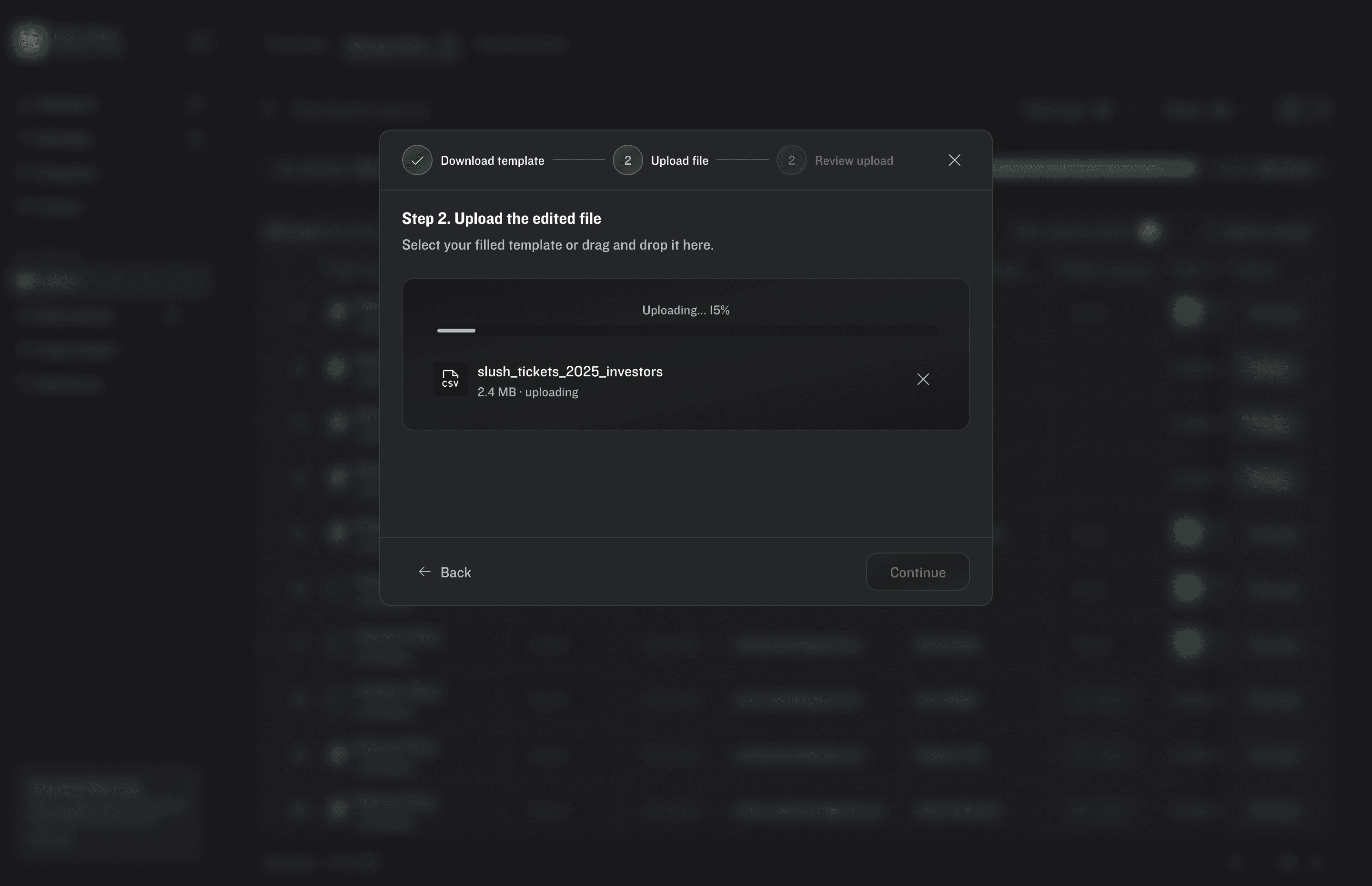
Bulk ticket management through a CSV upload.
New features: Platform profile checker, ticket print status and assigning history.
Challenge 01
Years of accumulated demand
Challenge 02
Support inbox as a symptom
Challenge 03
A design system still finding its shape
Challenge 04
One interface, vastly different users
Stakeholders agreed the ticket management tool needed a redesign, but not on which features specifically. I relied on secondary research to validate that; post-event feedback surveys, user interviews, and the support inbox already held enough signal to scope the problem without running new primary research.
Read more

From support inbox patterns to a shipped redesign.
Stakeholders agreed the tool needed a redesign, but not on which features. The first step was scoping the problem against a user base with vastly different literacy levels, ticket volumes, and workflows.
Research & validation
Eploration & testing
Design system & handoff


The ticket overview moved from a static widget on the Home page to a dedicated dynamic page. The default view adapts based on how many tickets the user holds, so an organizer managing fifty sees a different layout than a first-timer with one; no content is hidden, just reordered.
Read more

Bulk-purchase customers manage upwards of 100 tickets, often assigning them to people outside their own organization. Their primary mode of operation is CSV files, so the solution had to meet them there.
Read more
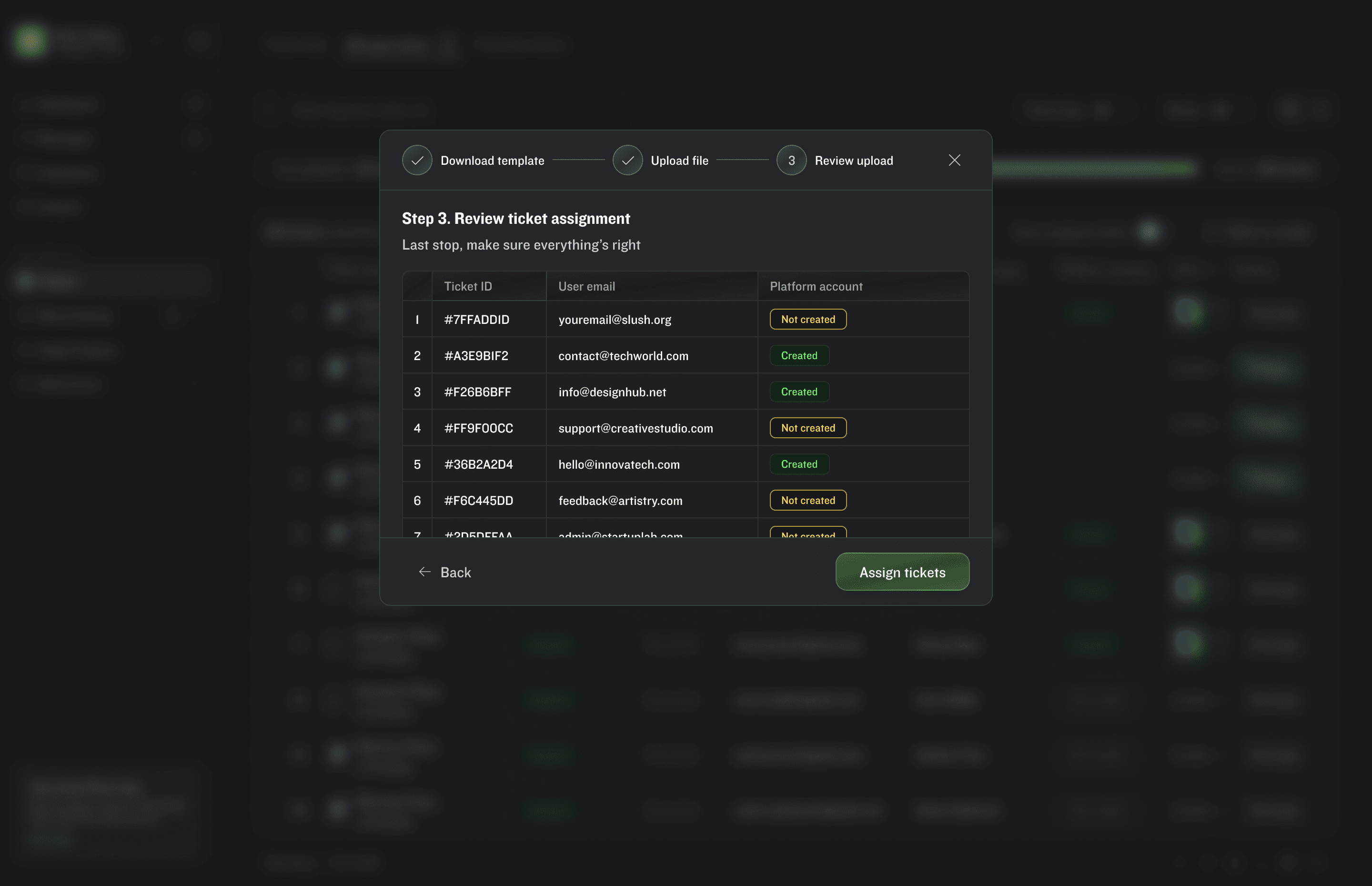
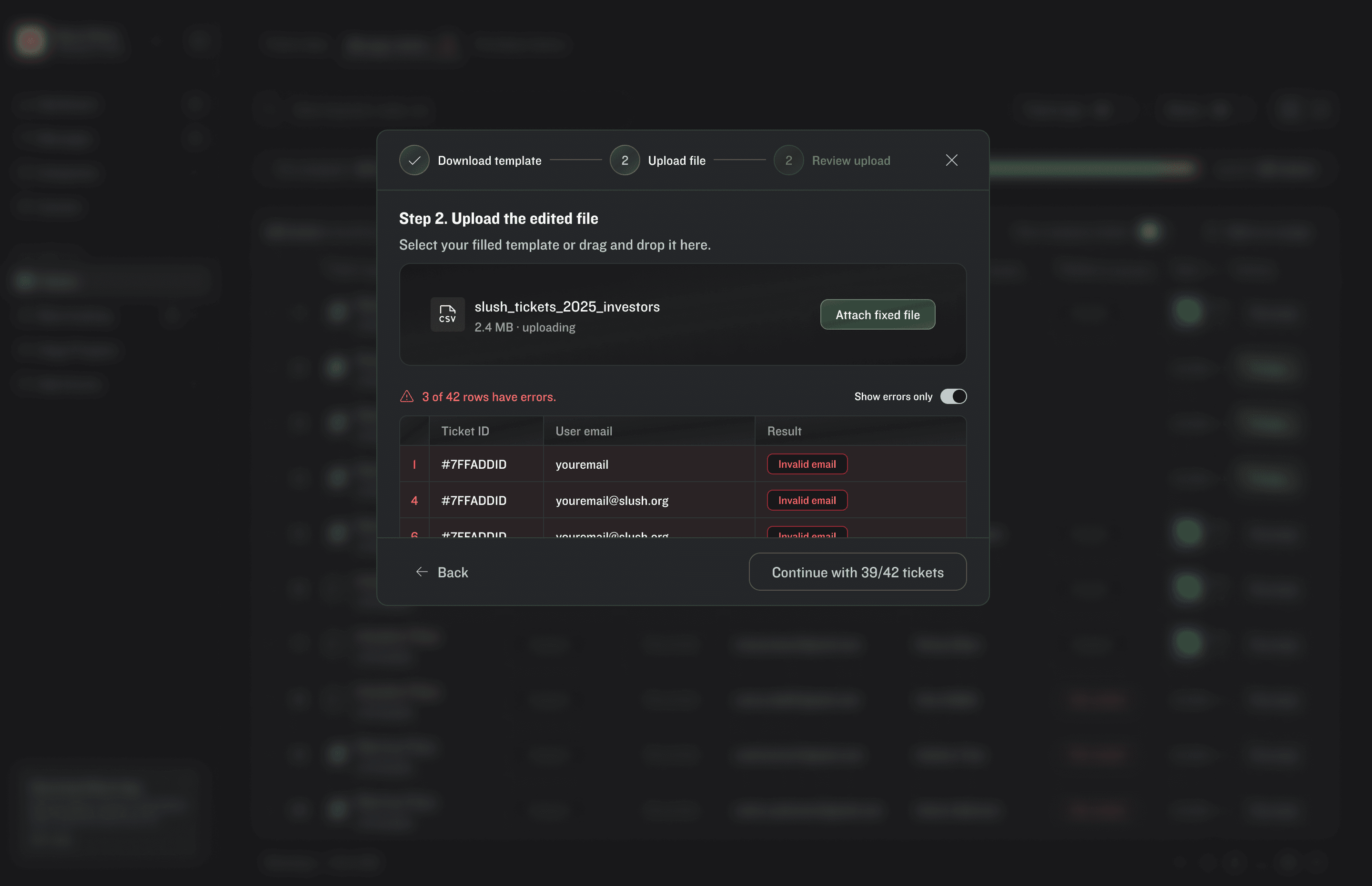
Catching errors before they cost support tickets.
Before the user commits to assigning the batch, the system flags every error in the upload. Rows can fail for reasons within the user's control (a malformed email) or outside it (the recipient already holds a ticket). The user reviews the errors and either fixes them or proceeds with only the rows that passed. This turns an automated action into a user-controlled one; no ticket moves without the user knowing exactly what happened and why.

How do you track all the bulk assigns?
Managing tickets in bulk can be stressful. Assign History lets the user return to a specific batch, track it directly, or make changes if something went wrong.

Customer feedback is still to be measured, however, early ticket-buyers have already praised the improvement.
60+
Unique screens designed in Light and Dark mode.
10
New components added to the design system.